SharePoint document management, set up properly

Libraries, metadata, versioning, retention and permissions configured so your teams find the right version in seconds and your auditors find the history.
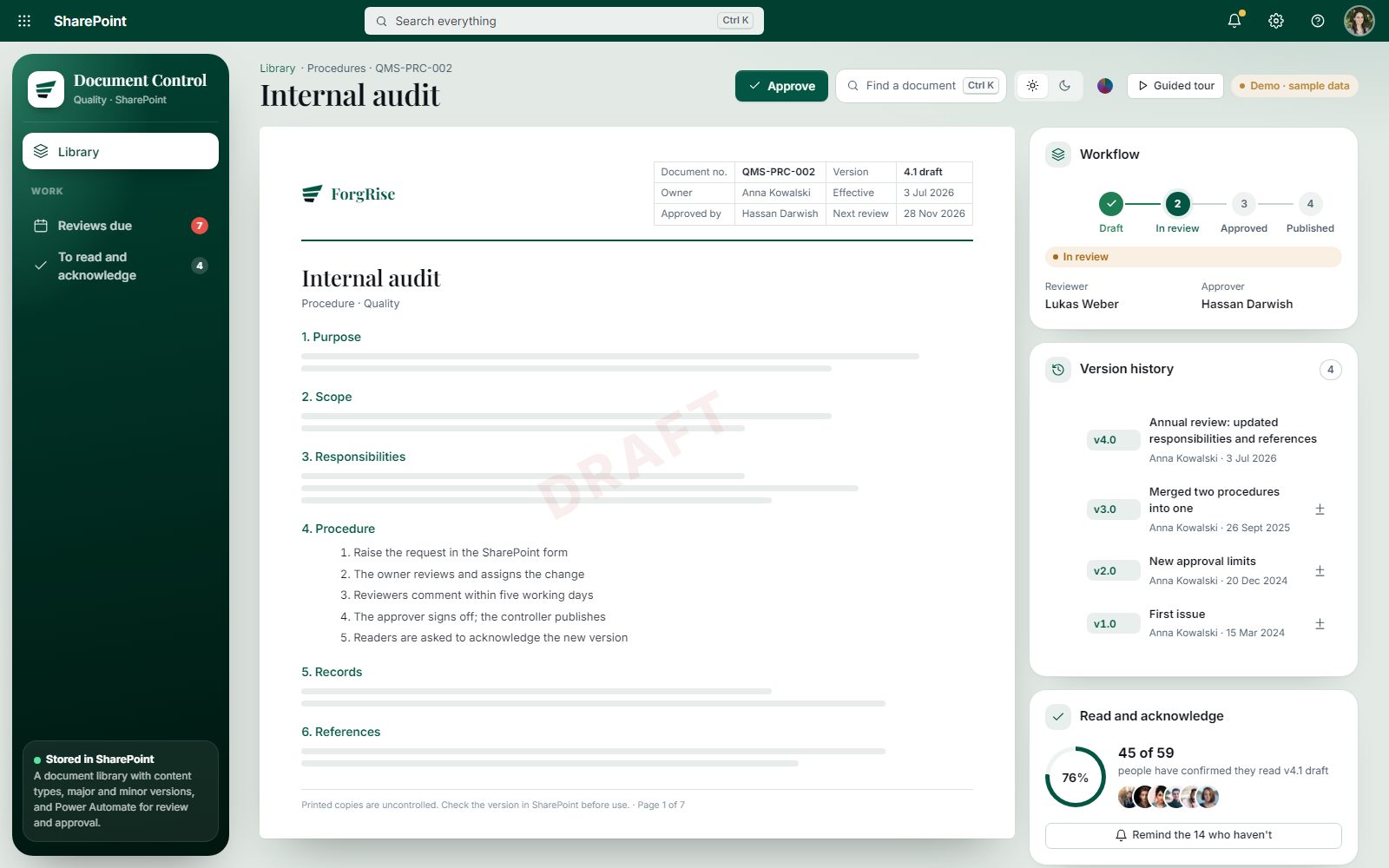
Open the live demo Document Control · sample data

Signs your documents need structure

  1. 01

    Final_v7_really-final.docx

    Nobody knows which version is the current one.

  2. 02

    Shared drives everywhere

    The same folder exists in five places.

  3. 03

    Access is all or nothing

    Sensitive files sit next to public ones.

What we configure

  1. 01

    Set up libraries and content types

    A structure that matches how your teams work.

  2. 02

    Tag with metadata

    Find documents by type, owner or project.

  3. 03

    Turn on versioning

    Every change kept, with check-out where needed.

  4. 04

    Apply retention

    Retention policies with Microsoft Purview.

  5. 05

    Set permissions by group

    The right access for each team, documented.

  6. 06

    Add approvals

    Review and approval with Power Automate.

Delivery in phases of three to five weeks

Fixed scope, weekly progress updates, and nothing goes live before your team has tested it.

  1. 01ScopeA free call and a written scope.
  2. 02Fixed quoteOne price for the agreed scope.
  3. 03BuildPhases of 3 to 5 weeks, with weekly updates.
  4. 04Test and trainAcceptance testing with your team, then training.
  5. 05Hand overFull source code, documentation and a support period.

Contract approvals inside SharePoint

Contract approvals inside SharePoint

Our Contract Management System keeps every contract, version and approval in your own SharePoint.

See Contract Management
  • DMS Setup

    SharePoint set up as your document management system.

    Fixed price after a free scoping call

    What's included

    • Libraries and content types
    • Metadata and search
    • Versioning
    • Retention
    • Permissions and approvals
    Get a fixed-price quote

Custom work from USD 50 an hour

DMS questions

Can you move our files from shared drives?
Yes. We plan the structure first, then migrate and tag the files.
Is SharePoint secure enough for confidential documents?
With the right permissions, sensitivity labels and retention, yes. We set these up and document them.
Can documents go through approval?
Yes. We set up review and approval flows in Power Automate, with a full history on each document.