


Approval workflow apps on SharePoint

Purchase orders, overtime, leave and any request your teams still chase by email, turned into SharePoint apps with multi-level approval, reminders and a full audit trail.
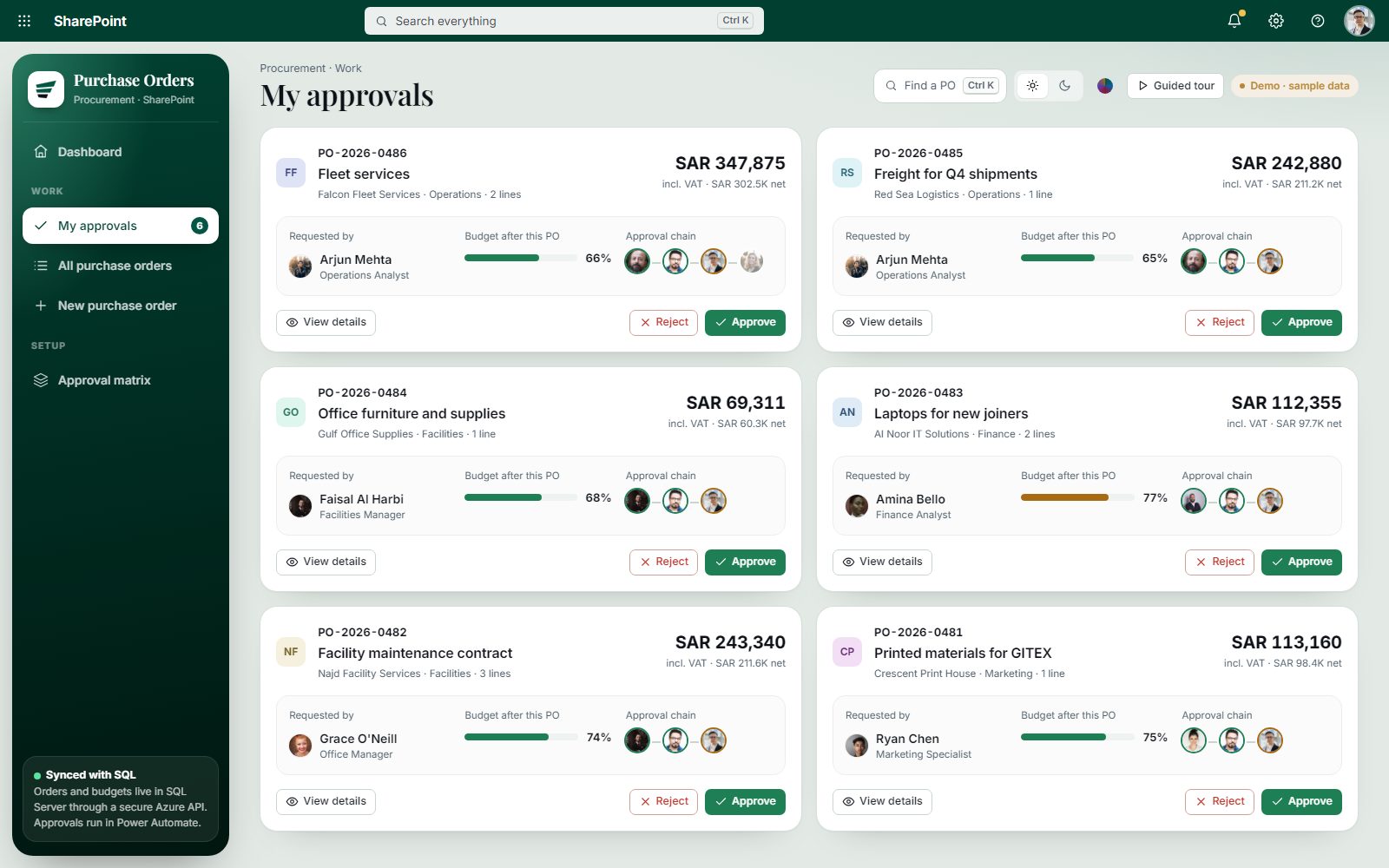
Open the live demo Purchase Order Approvals · sample data

Where approvals break

  1. 01

    Requests get lost in email

    Nobody knows who has the request now, or since when.

  2. 02

    Old workflows are gone

    SharePoint Designer 2013 workflows were fully retired on 2 April 2026.

  3. 03

    No audit trail

    Finance asks who approved what, and the answer is a forwarded email.

Built on the tools you have

SPFx React front ends, Power Automate for the flow, SharePoint lists, SQL or Dataverse for data, and an Azure-hosted API where you need one.

  • SharePoint
  • Power Automate
  • Microsoft Teams
  • SQL Server
  • Azure
  • .NET

What we build

  1. 01

    Route by role and amount

    Requester, manager, procurement and finance, or your own levels.

  2. 02

    Remind and escalate

    Automatic notifications and reminders at every stage.

  3. 03

    Show every request's status

    My Requests, My Approvals, Pending and Completed.

  4. 04

    Check against real data

    For example, requested overtime against actual worked hours.

  5. 05

    Log every decision

    Who decided what, and when, ready for audit.

  6. 06

    Export to Excel and PDF

    Filtered by department and status.

Delivery in phases of three to five weeks

Fixed scope, weekly progress updates, and nothing goes live before your team has tested it.

  1. 01ScopeA free call and a written scope.
  2. 02Fixed quoteOne price for the agreed scope.
  3. 03BuildPhases of 3 to 5 weeks, with weekly updates.
  4. 04Test and trainAcceptance testing with your team, then training.
  5. 05Hand overFull source code, documentation and a support period.

Delivered: purchase-order approvals

Delivered: purchase-order approvals

12 SharePoint Designer workflows moved to Power Automate in about five weeks.

Read the PO case study
  • Workflow App

    One approval process, built end to end.

    Fixed price after a free scoping call

    What's included

    • PO, overtime, leave or request approval
    • Role-based approval levels
    • Reminders and notifications
    • Full audit trail
    • Excel and PDF export
    Get a fixed-price quote

Custom work from USD 50 an hour

Workflow questions

SPFx or Power Apps?
Power Apps is fastest for simple forms. SPFx gives a faster, fully branded app for complex screens and heavy use. We recommend one in the scope, with the reason.
Can you migrate our SharePoint Designer workflows?
Yes. We moved 12 of them to Power Automate for one client while the business kept running.
Does it work on phones?
Yes. Approvers can act from the browser on a phone, or from Teams.
How long does one workflow app take?
The first versions of the approval apps we delivered took about four to five weeks.