
Case study
QC inspection reports from the production database
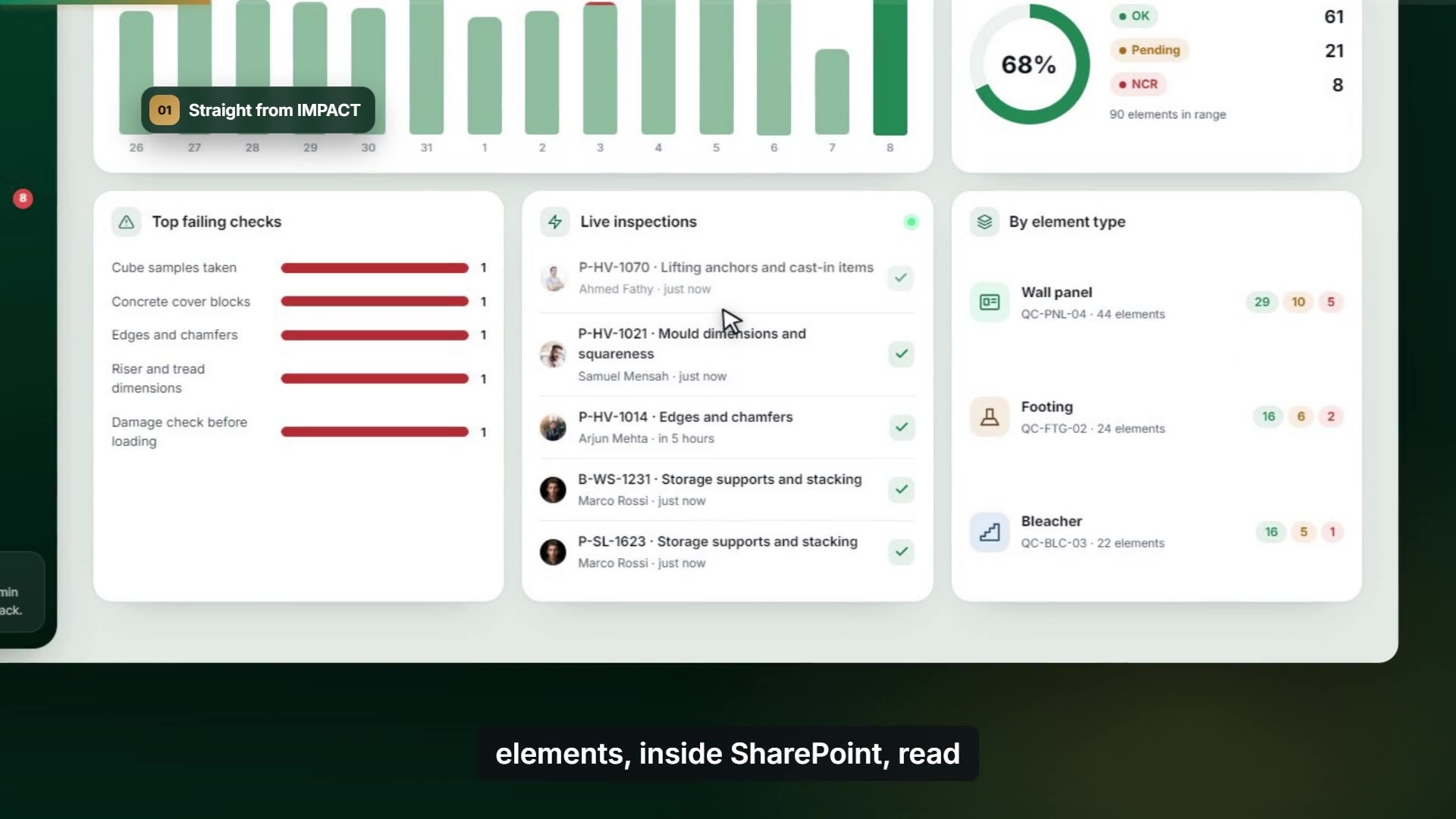
A leading precast concrete manufacturer in the GCC needed readable inspection reports for production and the stockyard. We built them in SharePoint, straight from IMPACT.
- About 4 weeks in 4 phases
- SPFx
- .NET Web API
- Microsoft Entra ID
- SQL Server
- 3 months of support
 Watch the film
The challenge
QC data for every precast element lives in the IMPACT production system. Producing inspection reports for production and the stockyard was slow, and the reports were hard to read.
What we built
An SPFx screen in SharePoint and a new .NET Web API, secured with Microsoft Entra ID, that reads a read-only replica of IMPACT and generates print-ready PDFs on the server.
- 01
Two reports from one solution
Production, where users pick the elements, and Stockyard, which prints the whole filtered transport.
- 02
Filters that match the yard
Factory, element status range, production date range, transport number and element ID.
- 03
Seven elements on one sheet
Elements as columns, checklist points as rows, with the right checklist standard for each element type.
- 04
Detail and comparison
An element detail view, side-by-side comparison and OK, Pending or NCR status.
How the data flows
From the IMPACT replica to a PDF in SharePoint, with nothing written back.



- 01Reads a read-only replicaNothing is ever written back to IMPACT.
- 02Secured with Microsoft Entra IDOne app registration with an admin-approved scope.
- 03Filters at the databaseOnly the requested rows cross the network.
- 04Builds the PDF on the serverThe same report on every device.
Watch the demo
A walkthrough recorded from a demo version of the app, with sample data.
Read the transcript
Inspection reports shouldn't take a day of copy and paste. This is QC reporting for precast elements, inside SharePoint, read straight from IMPACT. Filter by factory, status and dates, then pick the elements you need. The server applies the right checklist for each element type, and prints seven elements per sheet. For the stockyard, pick a transport, and the whole load prints as one report. Every stored element sits on the yard map. Search, and it lights up. Open any element to see every checkpoint, inspector and timestamp. Compare elements side by side, and keep only the differences. Non-conformances move from open to closed on one board. Under the hood: Entra ID sign-in, parameterised stored routines, and a read-only replica. Nothing is ever written back. QC reporting, built by ForgRise. Book a free consultation.
Engineering decisions
- 01
Read-only by design
A read-only account scoped to one reporting database. Nothing is written back to IMPACT.
- 02
No injection risk
No SQL is built in application code; only parameterised stored routines run.
- 03
Only what you ask for
Filtering happens at the database, so only the requested rows travel.
- 04
Same PDF everywhere
Reports are generated on the server, identical on any device.
- 05
Handover
Full source code, knowledge transfer and three months of support after launch.