
Case study
Purchase-order approvals rebuilt on modern SharePoint
Microsoft has retired SharePoint Designer workflows. We moved 12 of them to Power Automate for a leading precast concrete manufacturer in the GCC without stopping the business.
- About 5 weeks
- React SPFx
- Power Automate
- SharePoint lists
- Azure-hosted API
- SQL
The challenge
The purchase-order system ran on SharePoint Designer 2013 workflows. Their support in SharePoint Online ended in 2020, and Microsoft retired them for existing tenants on 2 April 2026.
What we built
- 01
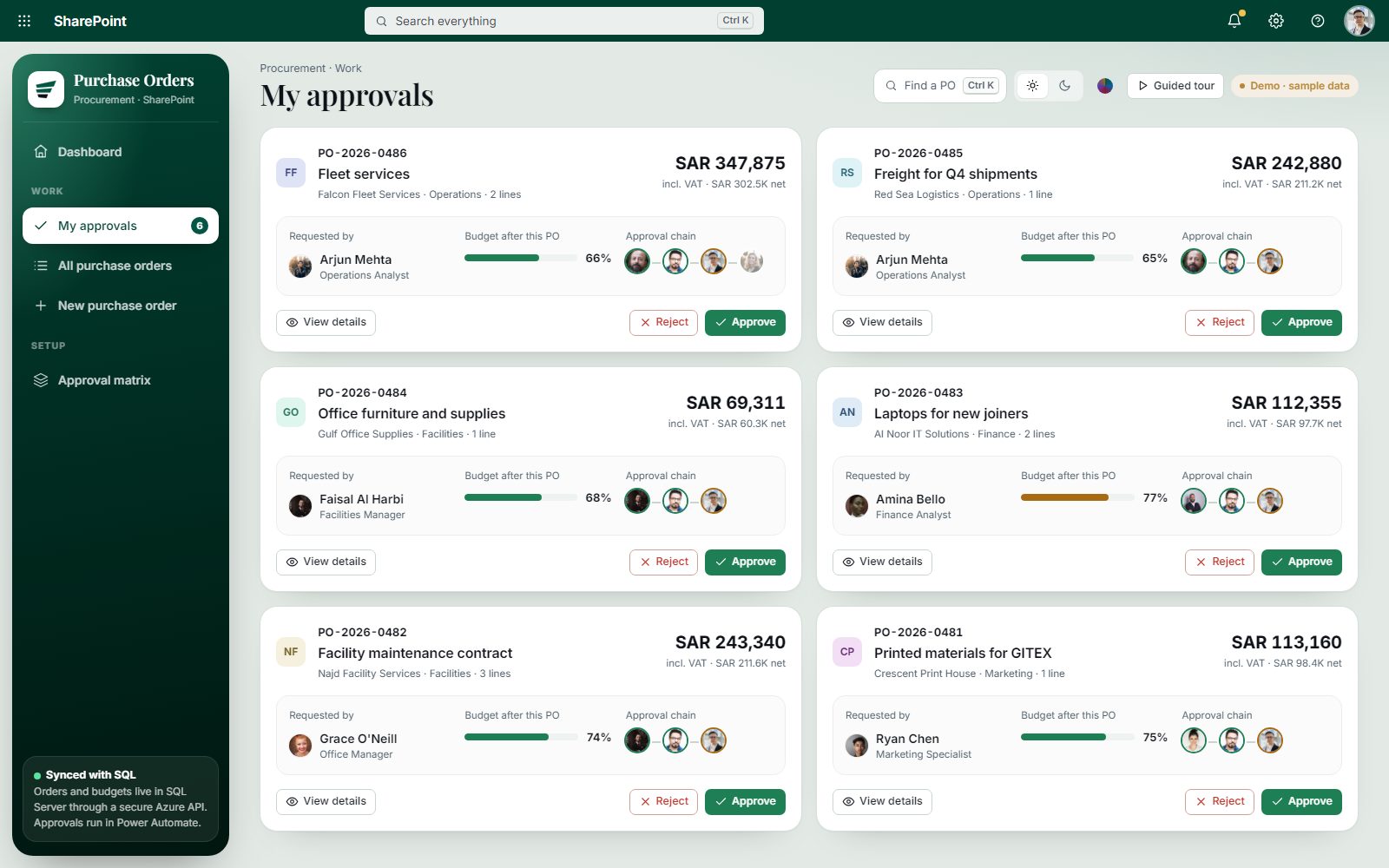
Multi-level approval by role
Requester, manager, procurement and finance, with notifications and reminders.
- 02
A smarter PO form
Dynamic fields by category, with validation.
- 03
Dashboards for every role
My Requests, My Approvals, Pending and Completed, filtered by department and status.
- 04
Export
To Excel and PDF.
12 workflows, moved one by one
Each legacy workflow was rebuilt in Power Automate and tested in parallel with the old one before the switch.
SharePoint Designer 2013
- PO submit
- Manager approval
- Procurement review
- Finance approval
- Reminder
- Escalation
- Rejection notice
- Category routing
- Budget check
- Close PO
- Weekly summary
- Archive
Power Automate 12/12
- PO submit
- Manager approval
- Procurement review
- Finance approval
- Reminder
- Escalation
- Rejection notice
- Category routing
- Budget check
- Close PO
- Weekly summary
- Archive
Handover and support
- 01
Documentation and training
Material for admins and users at handover.
- 02
12-month support
The app now runs under a 12-month support contract.